

Record a full or partial payment
Last updated · InvoiceStamp 1.1.0 for iPhone and Android
When a client pays, open the invoice's Payment sheet and tap Mark as fully paid, or Pay partially for part of the amount. Choose how you were paid if you like, then confirm. The invoice changes to Paid or Partial. InvoiceStamp keeps a record of payments: it doesn't collect money from your clients.
How do I open the Payment sheet?
From the Documents tab, either:
- swipe left on an invoice that isn't fully paid and tap Pay, or
- tap the invoice, then tap Payment in its sheet. The row shows what's still due, such as 156.00 $ due, or Paid once it's settled.
Invoices on Home's Recent Documents list open the same sheet, and can be swiped the same way.
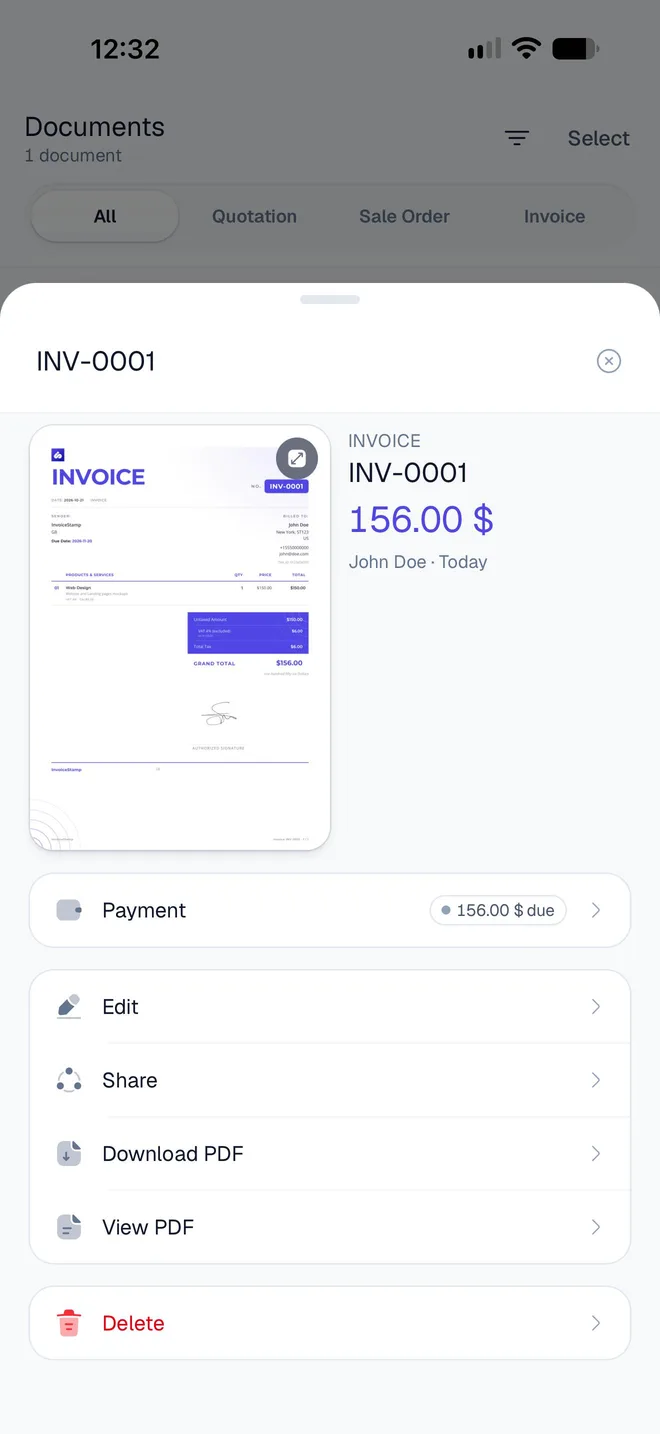
Only invoices take payments. Quotations and sale orders have no Payment row.
How do I mark an invoice as fully paid?
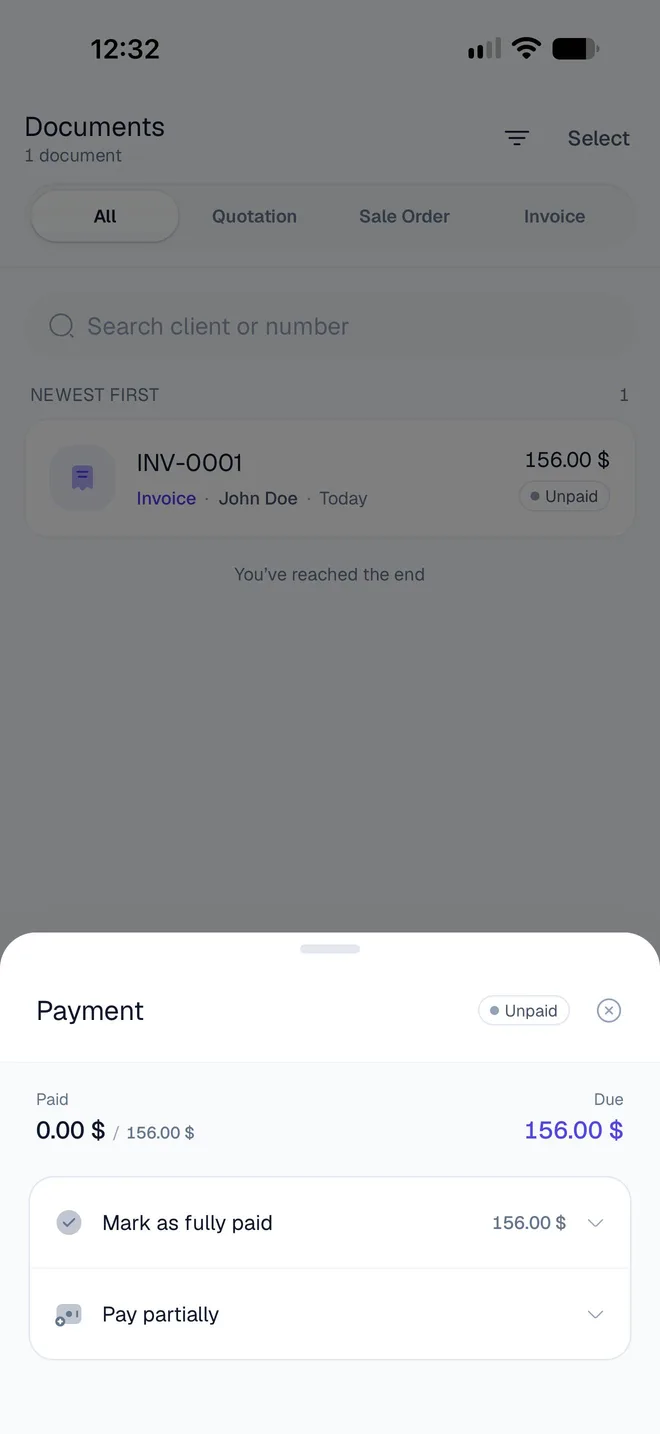
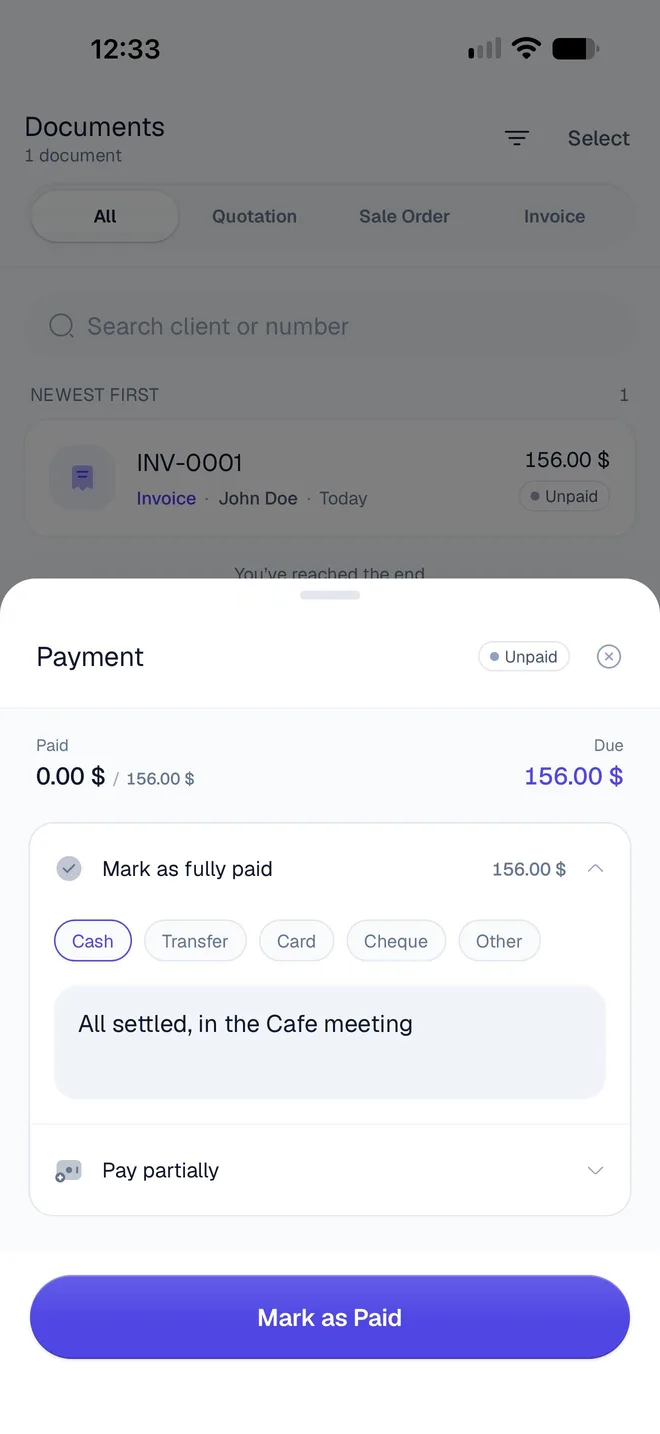
The Payment sheet shows what's been paid against the total (Paid 0.00 $ / 156.00 $) and what's Due. Tap Mark as fully paid: the amount on the right is the balance still due.
If you want, choose how you were paid: Cash, Transfer, Card, Cheque or Other. Tap the same chip again to unselect it.
To keep a reminder of the payment, tap Add note and type it, such as where or how it was settled.
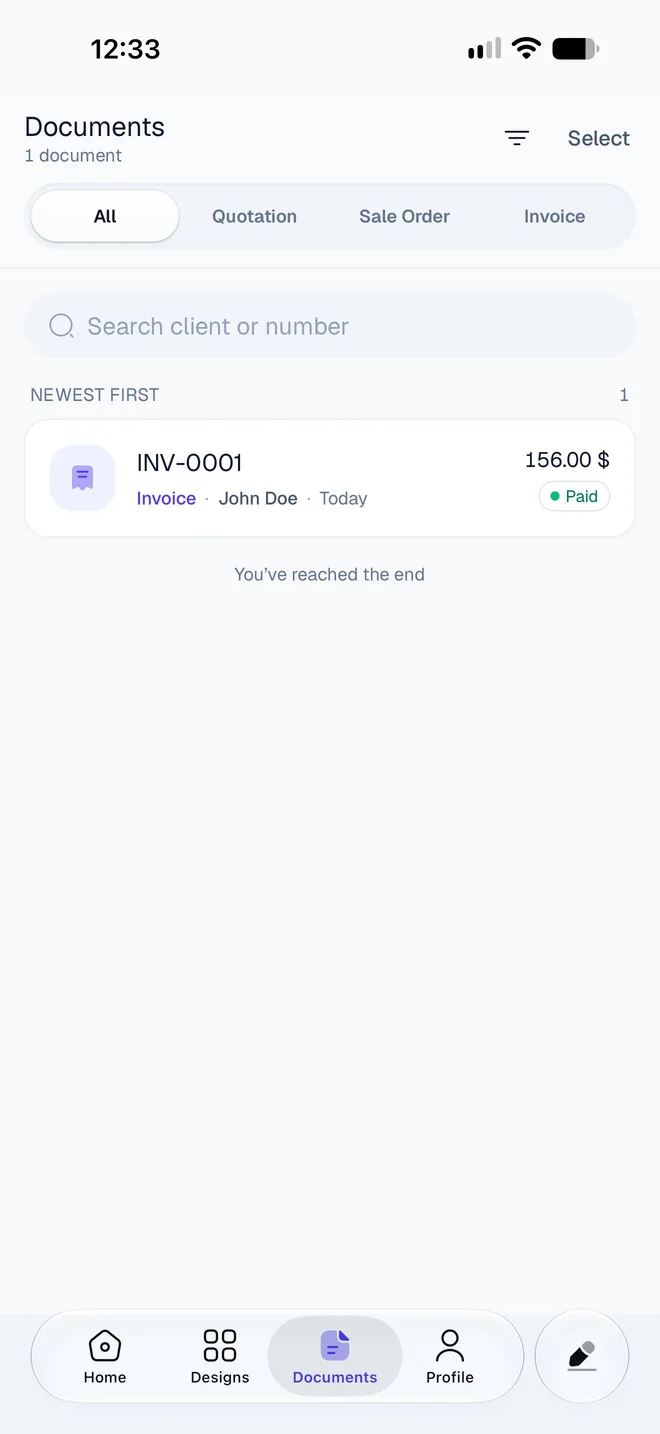
Tap Mark as Paid. The sheet closes and the invoice shows Paid.
How do I record a partial payment?
In the Payment sheet, tap Pay partially. The amount starts filled in with the balance due.
Type the amount you received. A comma or a point both work for cents (12,50 or 12.50). An amount above the balance turns red with "Can't exceed the amount due."
Choose how you were paid and add a note, if you want.
Tap Add payment. The invoice shows Partial, and Due shows what's left.
Record each instalment the same way. When the payments add up to the total, the invoice changes to Paid.
What date does a payment get?
The day you record it: there's no date to pick. Record each payment on the day you receive it, so the history matches your bank statements.
How do I see the payments on an invoice?
Once an invoice has a payment, the Payment sheet lists them under Payment history: the amount, the date, your note and the method for each one.
How do I undo a payment?
Open the invoice's Payment sheet and find the payment under Payment history.
Tap Refund. The app asks Refund this payment? and explains: "This reverses the payment. The record stays in your history, marked refunded — it is never deleted."
Tap Refund payment. The payment shows as Refunded and no longer counts toward what's been paid.
To reverse every payment on the invoice at once, tap Mark unpaid and confirm with Mark unpaid. The invoice goes back to Unpaid, and the payments stay in its history, marked refunded.
A refund here doesn't move any money
Refund and Mark unpaid correct InvoiceStamp's record. If you're giving money back to a client, do that through your bank or payment service.
What do Unpaid, Partial, Paid and Overdue mean?
InvoiceStamp works out an invoice's status from the payments recorded on it. Refunded payments don't count.
| Status | When |
|---|---|
| Unpaid | Nothing has been paid yet, or every payment was refunded. |
| Partial | Part of the total is paid. In the Documents list, the pill shows the amount still due instead, such as 50.00 $ due. |
| Paid | The payments add up to the total. |
| The has passed and the invoice isn't fully paid. The due day itself isn't overdue yet. |
Overdue only shows in lists: an unpaid invoice gets a red Overdue pill, and a partly paid one shows its amount due in red. InvoiceStamp doesn't send reminders to your client.
To list only some invoices, open Documents, tap Invoice, then Unpaid, Partial or Paid. See Find and manage your documents.
What happens if I change an invoice after it's paid?
InvoiceStamp recalculates the status from the payments already recorded:
- You raise the total, by adding a line or tax: a Paid invoice becomes Partial, with the difference due.
- You lower the total below what was paid: the invoice stays Paid with nothing due. InvoiceStamp doesn't record the overpayment as a credit, so settle any difference with your client directly.
Payments are recorded in the invoice's currency. Changing the invoice's currency afterwards doesn't convert them.
Can clients pay me through InvoiceStamp?
No. InvoiceStamp records payments you've received; it doesn't take card payments or move money. To make paying easy, add your bank details or a to your invoices: see Add a signature, QR code, bank details and notes.
Related guides
Was this page helpful?
Payments and totals
Mark InvoiceStamp invoices as paid in full or in part, undo a payment, and read the totals on the Home screen by document type, period and currency.
Read your totals on the Home screen
What the InvoiceStamp Home card adds up, how to switch between invoices, quotations and sale orders and between periods, and what Recent Documents shows.