

Delete your InvoiceStamp account
Last updated · InvoiceStamp 1.1.0 for iPhone and Android
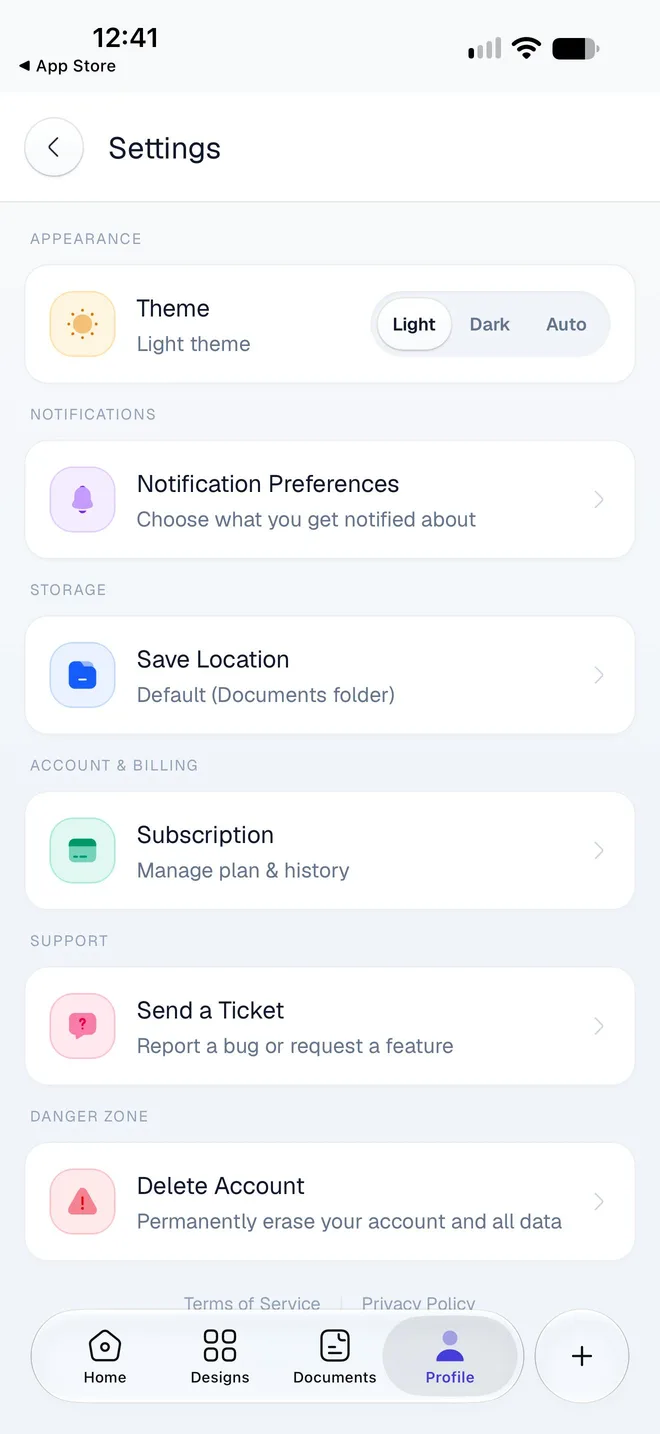
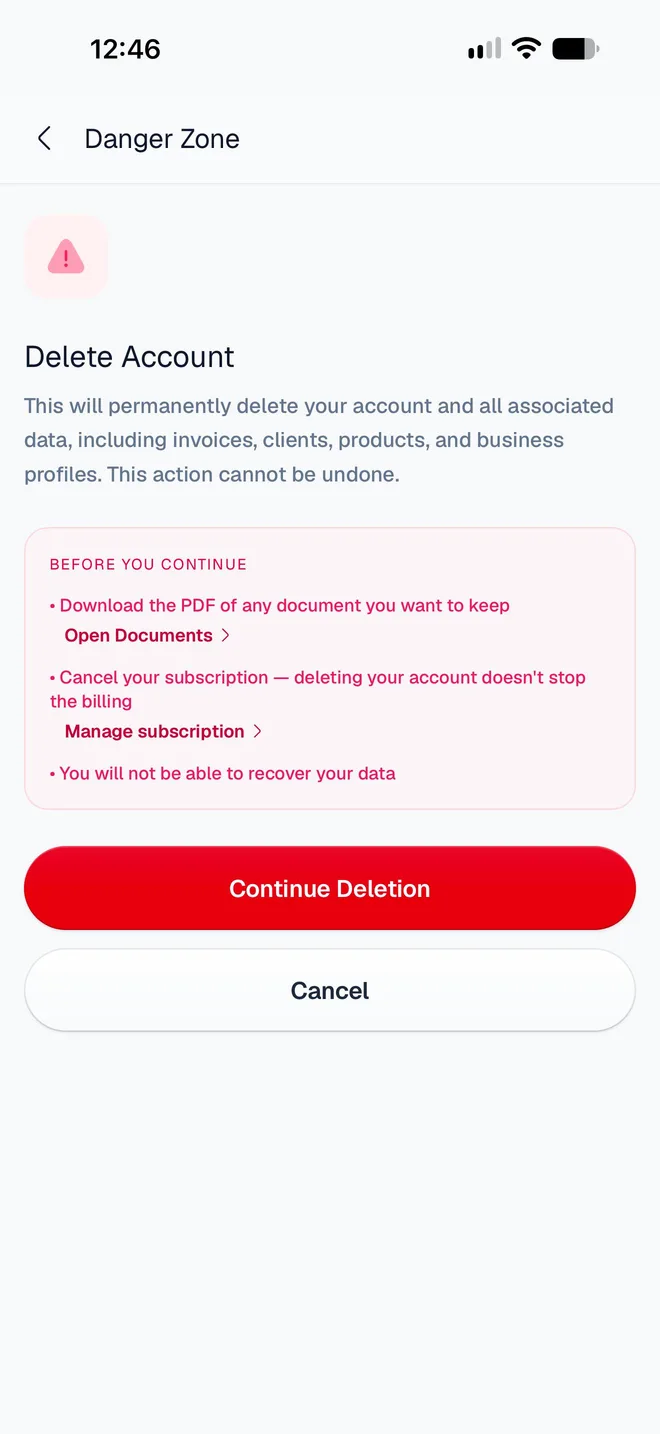
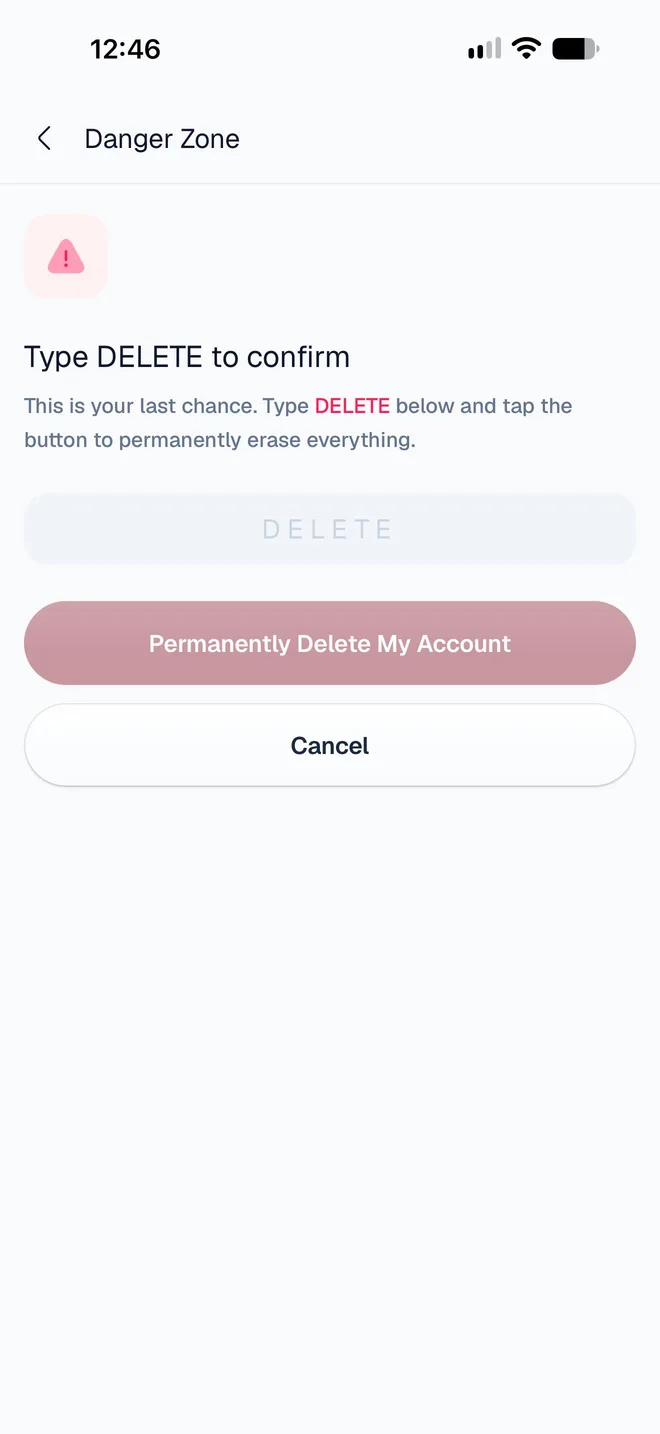
To delete your account, open Profile → Settings, scroll to Danger Zone and tap Delete Account. Tap Continue Deletion, type DELETE, tap Permanently Delete My Account, then Yes, delete everything. Deletion can't be undone, and it doesn't cancel your subscription: cancel that first.
What should I do before deleting?
Download the documents you want to keep. Once your account is gone, so is your access to your documents. Open each one in Documents and tap Download PDF: see Share an invoice PDF. Your country's rules may require you to keep invoices for several years.
Cancel your subscription. Deleting your account doesn't stop App Store or Google Play billing. Go to Profile → Settings → Subscription → Manage subscription, or cancel in the store. See Your subscription.
How do I delete my account?
Tap Profile, then Settings. Scroll down to Danger Zone and tap Delete Account (Permanently erase your account and all data).
Read Before you continue. Open Documents and Manage subscription take you to the two things above. Then tap Continue Deletion.
Type DELETE in capital letters. Permanently Delete My Account becomes available: tap it.
A last message asks you to confirm: This is permanent. Tap Yes, delete everything.
You're signed out and see Account deleted. InvoiceStamp also emails you to confirm the deletion.
To stop at any point before the last step, tap Cancel.
What is erased, and what is kept?
As soon as you confirm:
| Erased | |
|---|---|
| Your sign-in | Your email address and your Apple, Google or email login |
| Your business profile | Name, address, contact details, tax IDs and logo |
| Your signature and product images | The files you uploaded |
| Your clients and products | Names and every detail |
| Your documents' personal content | Notes, terms and references |
| Your devices and notifications | Including your notification settings |
| Kept, without your details | |
|---|---|
| The documents you issued | Their amounts, dates, numbers and , as financial records, for as long as the law requires, then deleted |
None of it can be restored to an account.
Can I come back later?
Yes, but not to the same account: deletion is final. Signing up again with the same email address or Apple or Google account creates a new, empty account.
Related guides
Was this page helpful?
Contact InvoiceStamp support
Reach the InvoiceStamp team by email or through the contact form, what to include so we can help quickly, and the current state of Send a Ticket in the app.
Fix common problems in InvoiceStamp
What the InvoiceStamp app's messages mean and what to do, from You're Offline and PDF errors to sign-in, update, save folder and contacts permission problems.