
Notifications and emails from InvoiceStamp
Last updated · InvoiceStamp 1.1.0 for iPhone and Android
InvoiceStamp notifies you when a document's PDF is ready and when your account is signed in on a new device. Notifications arrive on your phone and in the Notifications screen, opened from the bell on Home. Choose the kinds you get in Profile → Settings → Notification Preferences. Emails cover your account, your subscription and a few tips.
Where do I see my notifications?
Tap the bell at the top of the Home screen. A red number on it counts the ones you haven't read.
The Notifications screen groups them under Today, Yesterday, This week and Earlier, newest first, and says how many are unread (or All caught up).
| To | Do this |
|---|---|
| Open one | Tap it. It's marked read, and a notification about a document opens that document. |
| Mark everything read | Tap Mark read at the top. |
| Archive one | Swipe it left. Tap Undo within a few seconds if you didn't mean to. |
| See the exact time | Touch and hold the time on a notification. |
| Clear the whole list | Tap the trash icon, then Clear all. |
What does InvoiceStamp notify me about?
| Notification | When |
|---|---|
| PDF ready: "INV-0001 is ready to download." | A document's new PDF has finished. Tap it to open the document. |
| New sign-in detected | Your account was signed in on another device, and your least recently used device was signed out (a subscription covers 3 devices at a time). |
How do I choose what I'm notified about?
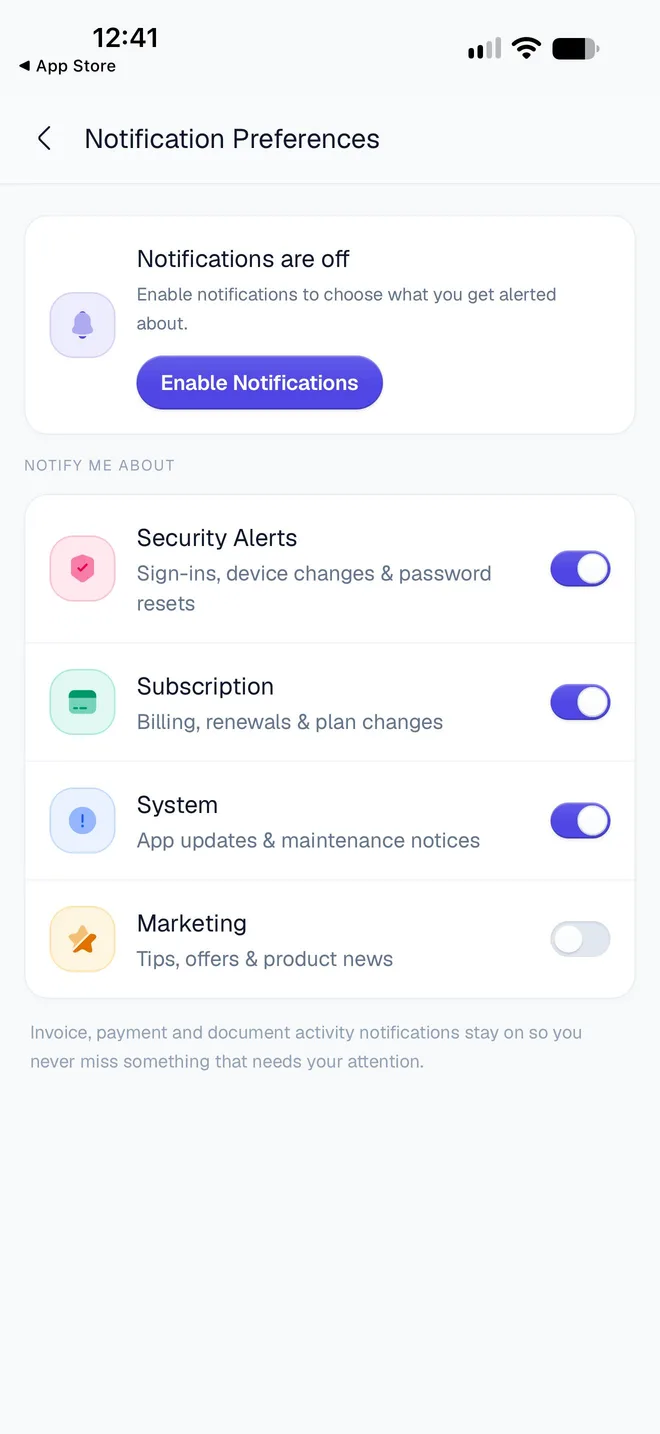
Tap Profile → Settings → Notification Preferences (Choose what you get notified about).
Under Notify me about, turn each kind on or off.
| Switch | Covers | Starts |
|---|---|---|
| Security Alerts | Sign-ins, device changes & password resets | On |
| Subscription | Billing, renewals & plan changes | On |
| System | App updates & maintenance notices | On |
| Marketing | Tips, offers & product news | Off |
Turning a kind off stops both the phone notification and its entry in the Notifications screen. Notifications about your documents, such as PDF ready, have no switch and stay on.
Why don't I get notifications on my phone?
If your phone's notifications are off for InvoiceStamp, Notification Preferences shows Notifications are off. Tap Enable Notifications and allow them. If you declined before, your phone won't ask again: turn them on in its settings. On iPhone, Settings → Notifications → InvoiceStamp → Allow Notifications. On Android, Settings → Apps → InvoiceStamp → Notifications.
Which emails does InvoiceStamp send?
About your account
- A link to confirm your email address, when you create an account with email.
- A link to reset your password, after you tap Forgot password?.
- New sign-in to your InvoiceStamp account, when a new device signs in.
- Your InvoiceStamp account has been deleted, after you delete it.
About your subscription
- When your free trial or plan starts.
- Your free week ends on a given date, two days before the trial ends.
- When the trial turns into a paid plan.
- Your payment didn't go through, when the App Store or Google Play reports a billing problem.
- Your plan ends on a given date, after you cancel.
- Your InvoiceStamp plan has ended, when it ends.
Tips
A few getting-started tips in your first days (making your first invoice, adding your logo), and an occasional reminder if you haven't opened the app for a week. Tips are never sent between 21:00 and 08:00 in your time zone, and never more than one a day.
Can I stop the emails?
- Tips: tap Unsubscribe from tips at the bottom of any tip email.
- Account and subscription emails can't be turned off: they're about your account, your plan and your payments.
Related guides
Was this page helpful?
Manage your InvoiceStamp subscription
InvoiceStamp's monthly and yearly plans, the free trial, switching plans, cancelling in the App Store or Google Play, refunds, and what happens when plans end.
Change InvoiceStamp's settings
Switch InvoiceStamp to dark mode, choose where downloaded PDFs are saved, find the terms and app version, and see what signing out clears from your phone.