

Manage your InvoiceStamp subscription
Last updated · InvoiceStamp 1.1.0 for iPhone and Android
InvoiceStamp needs a subscription, billed monthly or yearly through the App Store on iPhone or Google Play on Android. New subscribers who are eligible get a 7-day free trial. Manage your plan in Profile → Settings → Subscription: switch between monthly and yearly, cancel or change your payment method. Refunds are handled by the store you subscribed through.
Which plans are there?
Two plans with the same features: Monthly and Yearly. The plans screen shows each price in your store country's currency, and how much the yearly plan saves you compared with paying monthly. Prices include your country's taxes where the store applies them.
You choose a plan at the end of the first-run setup: tap See plans, pick one and confirm with the App Store or Google Play. See Set up InvoiceStamp.
How does the free trial work?
- If you're eligible, the plans screen says "Both include 7 days free" and the button reads Start my 7-day free trial.
- Nothing is charged during the trial. Two days before it ends, InvoiceStamp emails you a reminder with the date your plan starts.
- When the trial ends, your plan starts and the store charges you, unless you cancelled before.
- The trial is for new subscribers. If your Apple ID or Google account already had one, the plans screen shows the prices without a trial.
How do I see or change my plan?
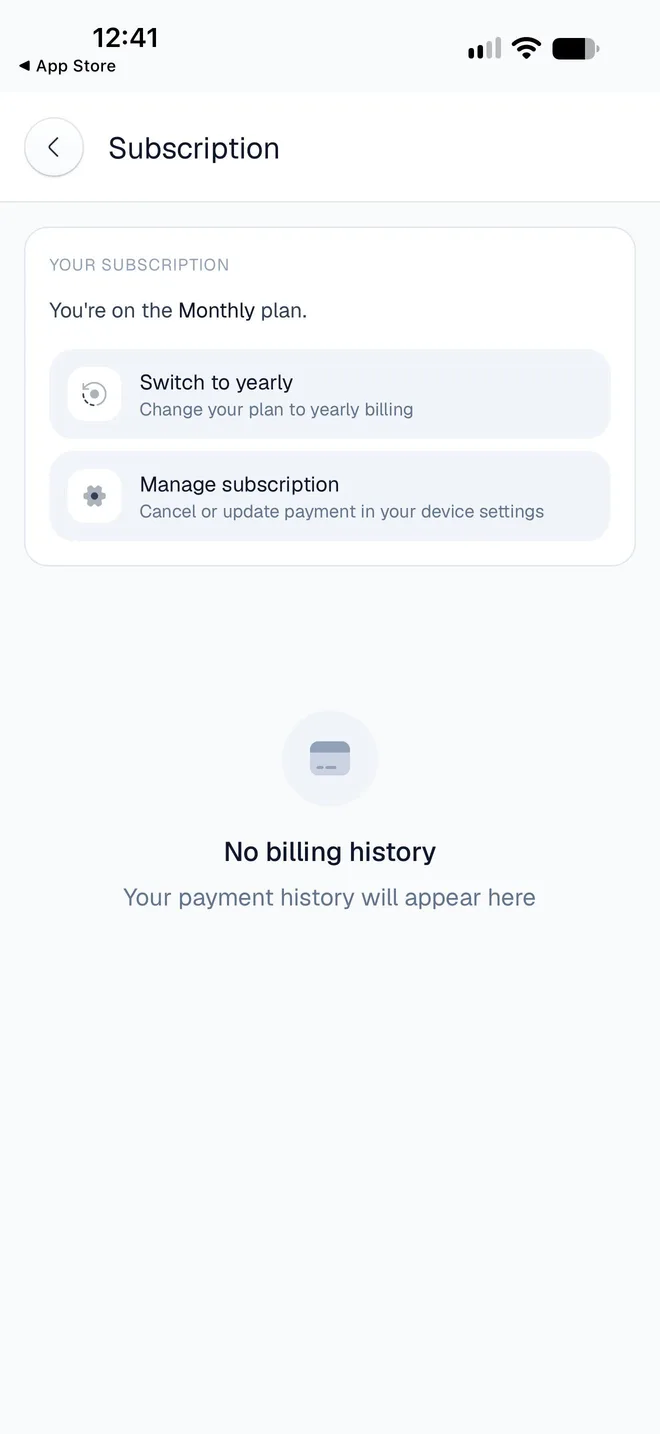
Tap Profile → Settings, then Subscription (Manage plan & history) under Account & Billing.
The screen says which plan you're on, for example You're on the Monthly plan.
Tap Switch to yearly (or Switch to monthly). A sheet compares your current and new price; confirm, then approve the change in the App Store or Google Play.
| Switching | When it takes effect |
|---|---|
| Monthly to yearly | Straight away. You're charged the prorated difference today and billed yearly from then on. |
| Yearly to monthly | At the end of your current billing period. You keep the yearly plan until then, with no extra charge today. |
Billing history lists your payments with their date, amount and status (Succeeded, Refunded, Failed or Expired).
How do I cancel?
Tap Profile → Settings → Subscription → Manage subscription (Cancel or update payment in your device settings).
Cancel the subscription, or change your payment method.
You can also cancel in the store:
- On iPhone: open the Settings app, tap your name, then Subscriptions, then InvoiceStamp.
- On Android: open the Google Play app, tap your profile picture, then Payments & subscriptions → Subscriptions → InvoiceStamp.
After you cancel, you keep full access until the end of the period you've paid for, and InvoiceStamp emails you the date your plan ends. Cancelling during the trial means you won't be charged.
What happens when my plan ends?
When your subscription has ended, InvoiceStamp opens the plans screen whenever you use the app, and it can't be closed. Your documents, clients and products stay in your account. From that screen you can:
- choose a plan to pick up where you left off;
- tap Restore purchases if you subscribed with this Apple ID or Google account before (on another phone, for example);
- tap Sign out in the line under the button that names your email, to switch accounts.
If a payment fails, InvoiceStamp emails you ("Your payment didn't go through") so you can update your payment method in the App Store or Google Play.
How do I get a refund?
Refunds are handled by the store you subscribed through, not by InvoiceStamp:
- App Store: request one at reportaproblem.apple.com with the Apple ID you subscribed with.
- Google Play: follow Google's refund steps with the Google account you subscribed with.
How many devices can I use?
Up to 3 at a time, signed in to the same account. Signing in on a fourth signs out the one you used least recently. See Sign in and passwords.
Deleting your account doesn't cancel your subscription
The App Store or Google Play keeps billing until you cancel. Cancel first, then delete your account.
Related guides
Was this page helpful?
Account & settings
Manage your InvoiceStamp subscription, notifications, emails and app settings, get help from the team, fix common problems, or delete your account for good.
Notifications and emails from InvoiceStamp
What InvoiceStamp notifies you about on your phone, how to read and clear the Notifications screen, which emails it sends, and how to choose what you get.