

Choose a design and color
Last updated · InvoiceStamp 1.1.0 for iPhone and Android
Open the Designs tab, tap a design to preview its sample pages, pick a style and an , then tap Use Template. The design goes on the document in the editor and becomes the one new documents start with. To change the design of a single document, tap the Design card in the editor instead.
How do I find a design?
The Designs tab lists every design; the line at the top says how many there are.
- Search designs looks through each design's name, description, tags and style names. Type several words to narrow it down: dark serif finds designs that match both words.
- The chips filter the list: All, Favorites, Corporate, Creative, Minimalist and Medical.
- A New badge marks designs added in the last two weeks, and a tick marks the design you're using.
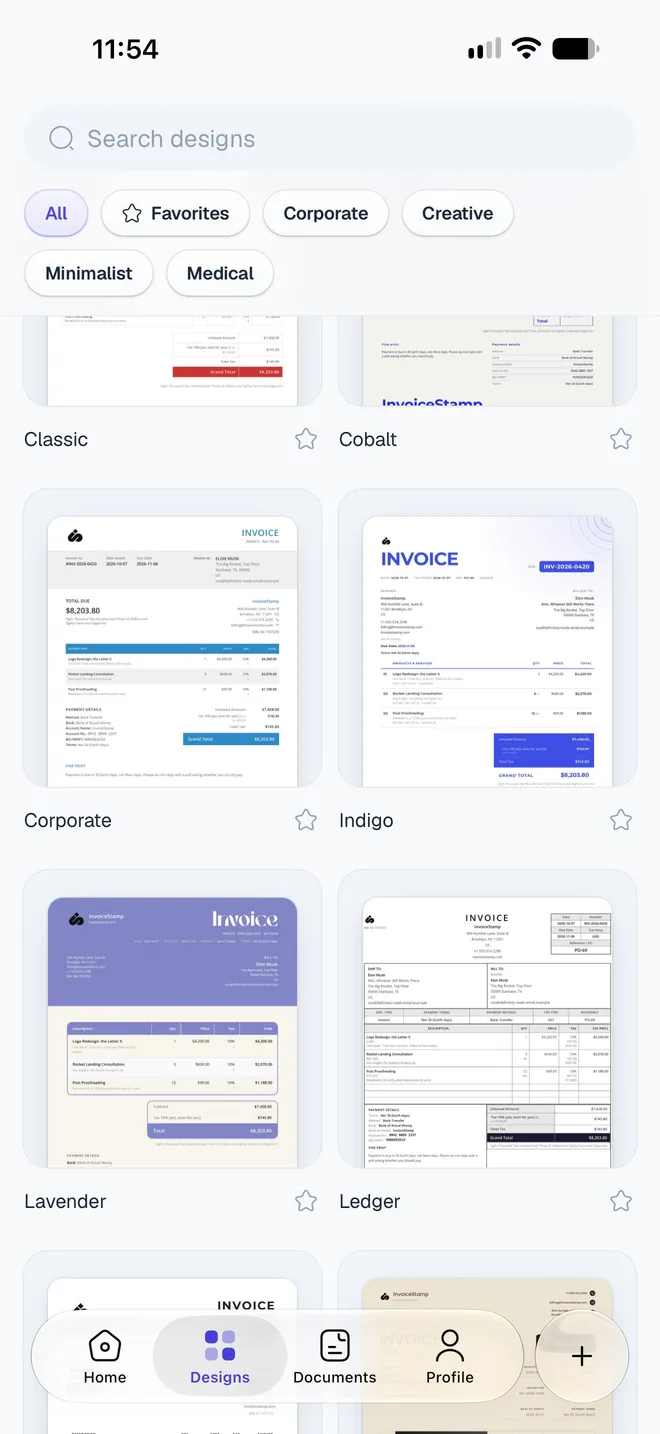
How do I keep designs I like?
Tap the star on a design's card, or in its preview. It's added to Favorites, which is saved to your account, so your favorites follow you to another phone. Favorites show first the next time you open the tab. Tap the star again to remove it.
How do I preview and use a design?
Tap a design. Its preview opens: swipe through the sample pages to see it on different kinds of documents.
If the design comes in more than one style (light and dark versions, for example), pick one under Style.
Pick an Accent color (see below). The preview changes as you tap.
Tap Use Template.
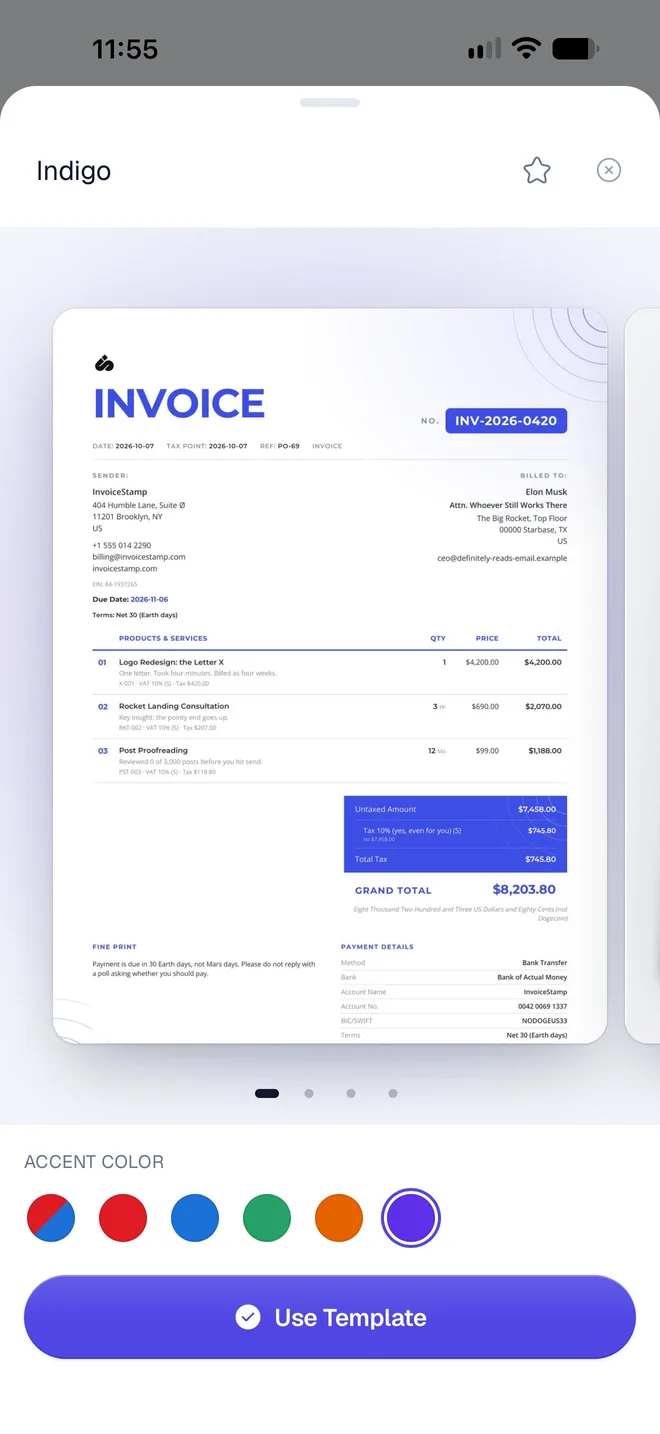
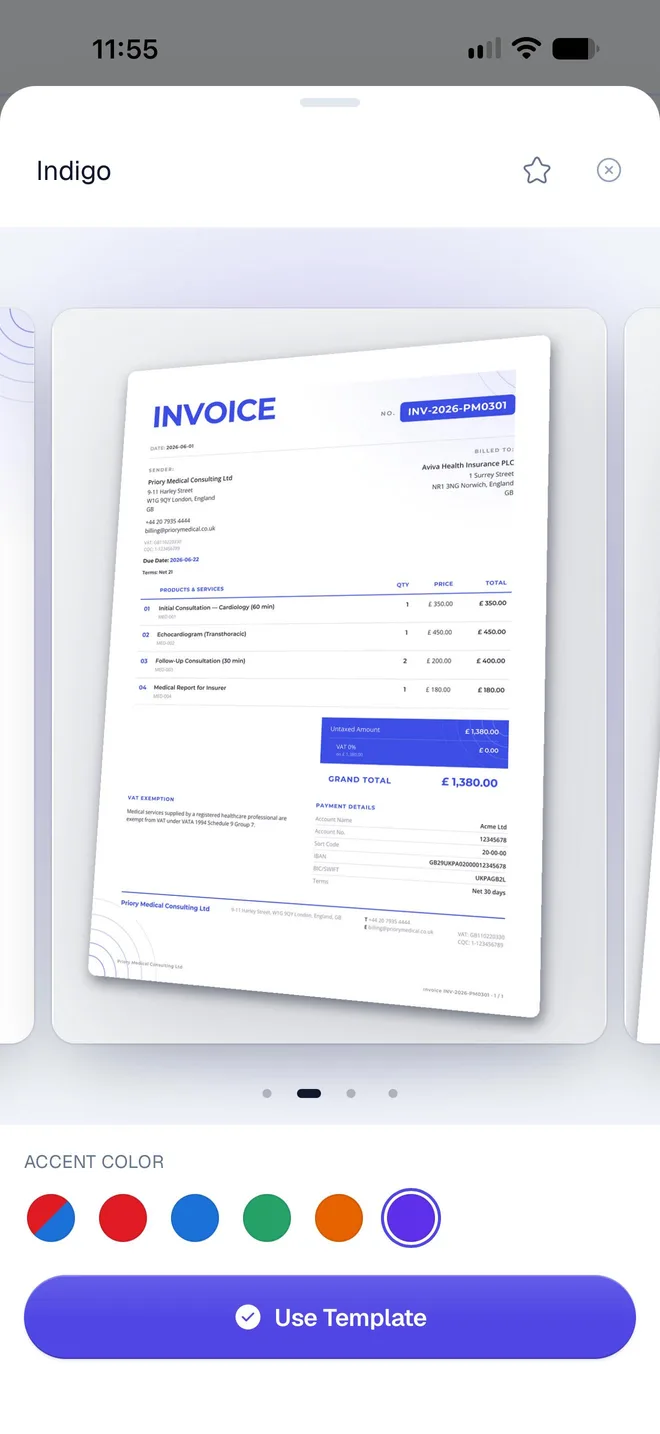
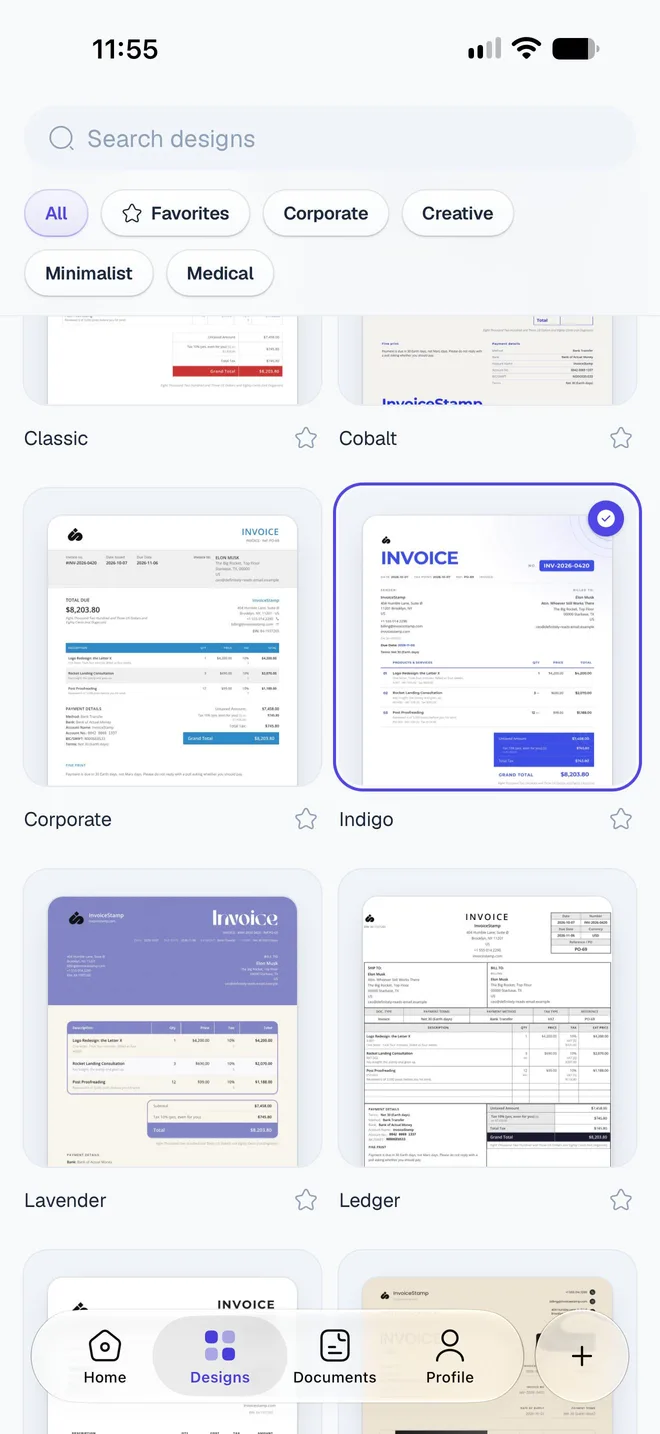
Use Template puts the design, style and color on the document you're editing, and the new documents you make after it start the same way. The design and style are also saved to your account as your default design.
What do the accent color swatches do?
| Swatch | What it does |
|---|---|
| The first one, split in two colors | The design's own colors, as its designer made them. |
| The plain colors after it | Colors chosen to suit this design. When your logo has colors, a Template / Your logo switch offers colors from your logo instead. |
| The last one | Opens your phone's color picker for any color, then shows the color you chose. |
You can also set a brand color with any hex code: see Add your logo, brand color and signature.
How do I change the design of one document?
In the editor, tap the Design card. It shows the current design and style, here Indigo in Periwinkle.
Pick a Style or an Accent color. They apply to the document straight away.
Tap Done. To browse other designs, tap Choose another design: it opens the Designs tab.
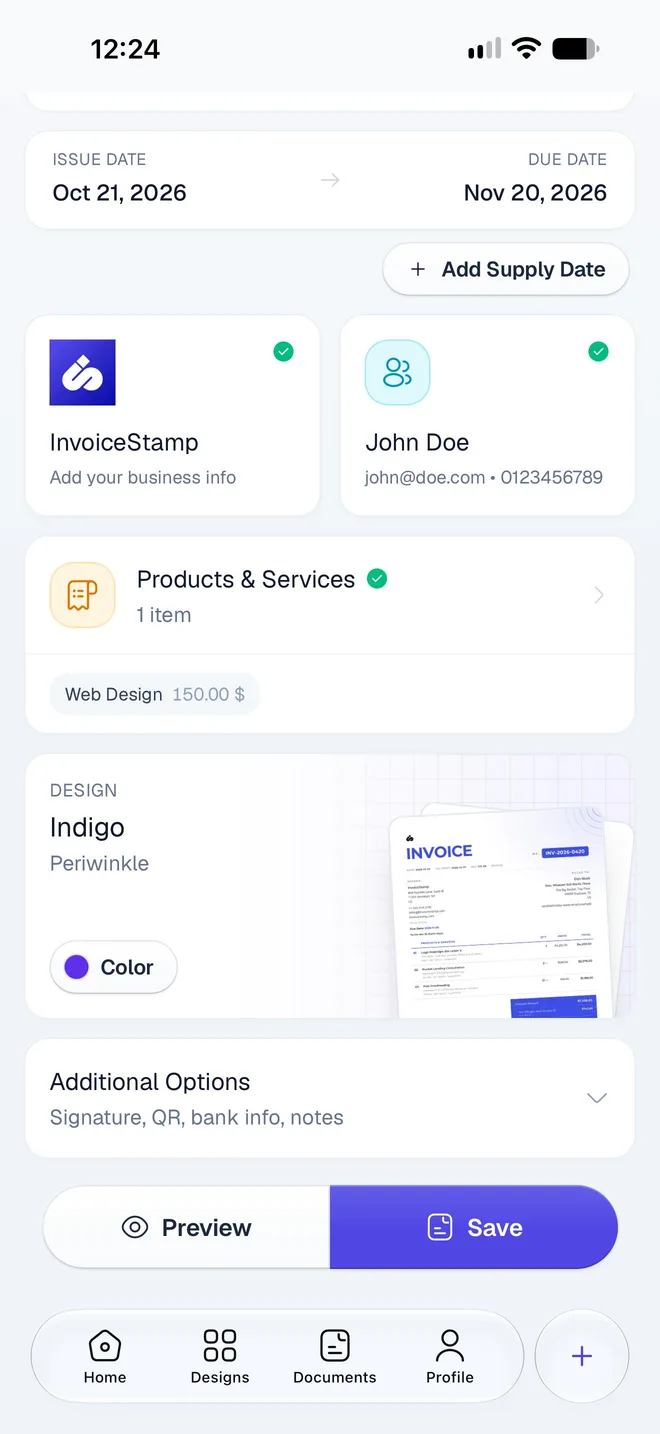
Confirming with Done also makes the design your starting point for new documents. Documents you've already saved keep their own design until you change it on them.
Related guides
Was this page helpful?
Show your tax IDs on invoices
Print your tax ID, VAT, ICE, SIRET, EIN, ABN and other legal identifiers on InvoiceStamp documents, along with your client's, and see where each one appears.
Change how documents are numbered
Set the prefix, next number, suffix and number length for invoices, quotations and sale orders in InvoiceStamp, and see why numbers are never reused.