

Edit your business profile
Last updated · InvoiceStamp 1.1.0 for iPhone and Android
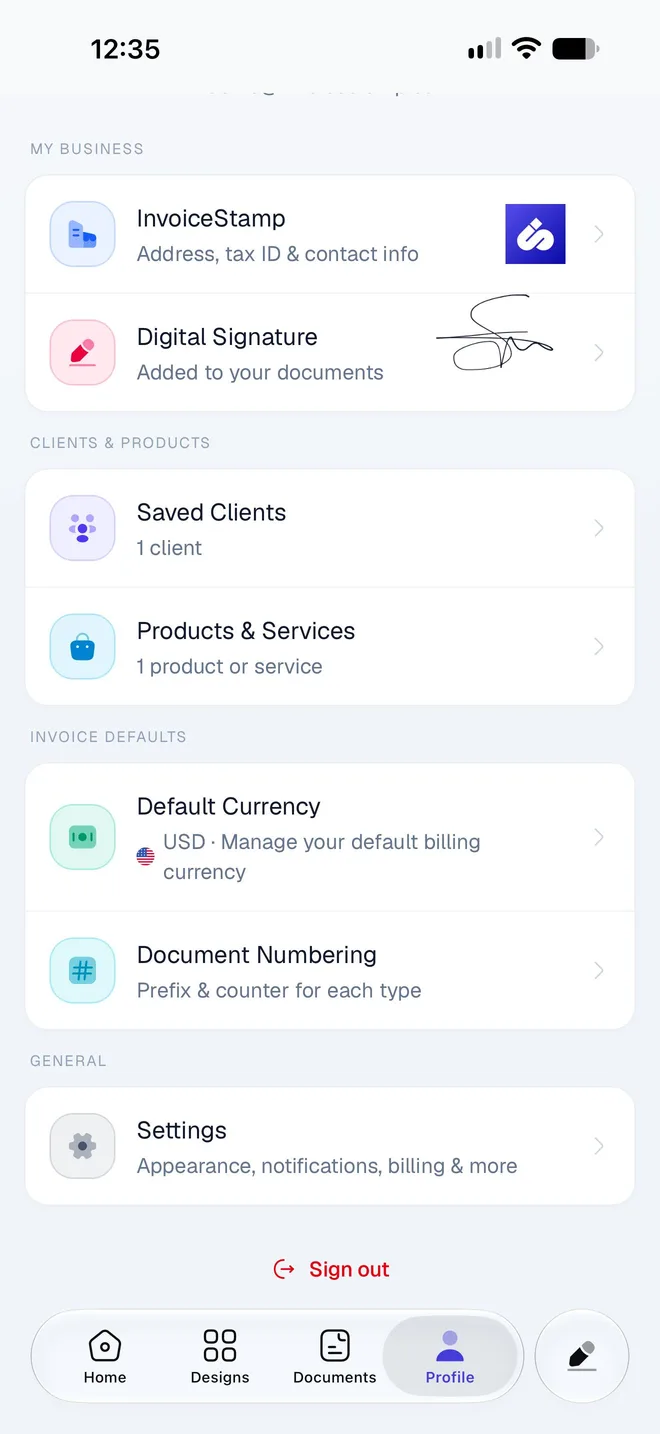
Your business profile is who every document is from. To edit it, open Profile and tap the row with your business name, or tap the business card at the top of the editor. Business Details opens. There's no Save button: your changes are saved when you go back.
How do I open my business details?
Tap Profile in the tab bar. Under My Business, tap the first row: it shows your business name and logo, or Business Profile if you haven't named your business yet.
Business Details opens. Change what you need.
Tap the back arrow. Your changes are saved as you leave.
In the editor, the business card (your logo and name, or Your Business / Add your business info) opens the same Business Details. It shows Required until your business has a name.
What can I fill in?
| Section | Field | Notes |
|---|---|---|
| Business Identity | Your Logo | PNG, JPG or SVG, up to 2 MB. See Logo, color and signature. |
| Business Info | The name printed on your documents. The only field you need. | |
| Must be a valid address, or the sheet stays open and shows "Enter a valid email address". | ||
| Phone | ||
| Address | Each line you type prints on its own line. | |
| Country | Pick it from the list. | |
| Tax & Legal | Your main tax number. | |
| Additional Details | , ICE, SIRET, EIN and more. See Show your tax IDs. | |
| Website and Fax | Under Web & Contact. |
Tap Additional Details to show the last two rows, and Hide Additional Details to fold them away again.
Set your country
Pick your Country even if you sell only at home. It prints with your address, and a document whose business has no country set shows Morocco instead.
What prints on my documents?
Your business name, logo, address and country, email, phone, fax, website, tax ID and legal identifiers. Each design lays them out in its own way, so a design may leave a detail out: tap Preview in the editor to see exactly what your client will get.
Do changes reach documents I've already made?
Yes. InvoiceStamp reads your business profile each time it makes a PDF. A document you saved before the change shows your new details the next time you share or download it.
The design, its color, the notes, the and the QR code work the other way: each document keeps its own copy. Change those in the document itself.
Related guides
Was this page helpful?
Your business & designs
Set up what every InvoiceStamp document says about you and how it looks, from your business details, logo, tax IDs and signature to designs and numbering.
Add your logo, brand color and signature
Put your logo on every InvoiceStamp document, set the brand color your design uses, and add a drawn, typed or uploaded signature that prints above the line.