

Show your tax IDs on invoices
Last updated · InvoiceStamp 1.1.0 for iPhone and Android
Add your main tax number in in your business details, then any other numbers under Additional Details → Add Legal Identifier: TVA / VAT, ICE, SIRET, EIN, ABN, RFC and more. Clients have the same fields. InvoiceStamp prints them on every document: yours with your business details, theirs with the client's.
How do I add my own tax IDs?
Tap Profile, then your business row under My Business. (In the editor, the business card opens the same screen.)
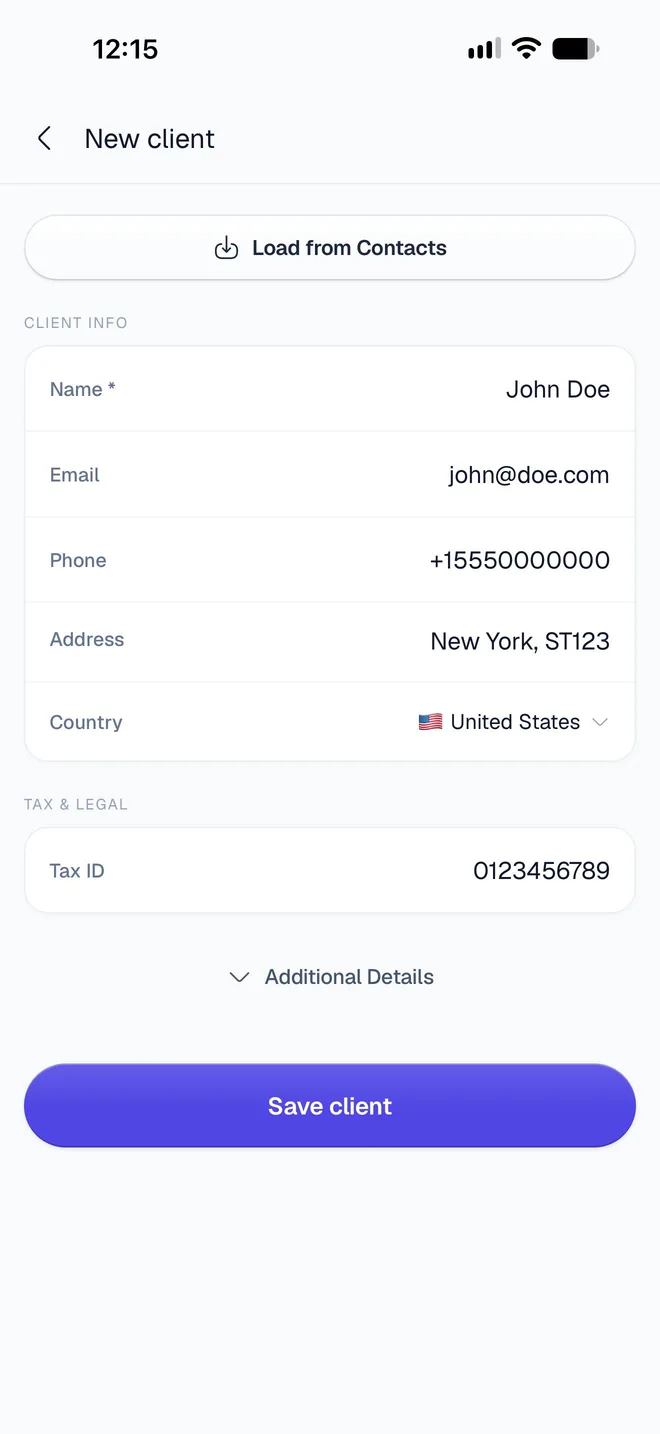
Under Tax & Legal, type your main number in Tax ID.
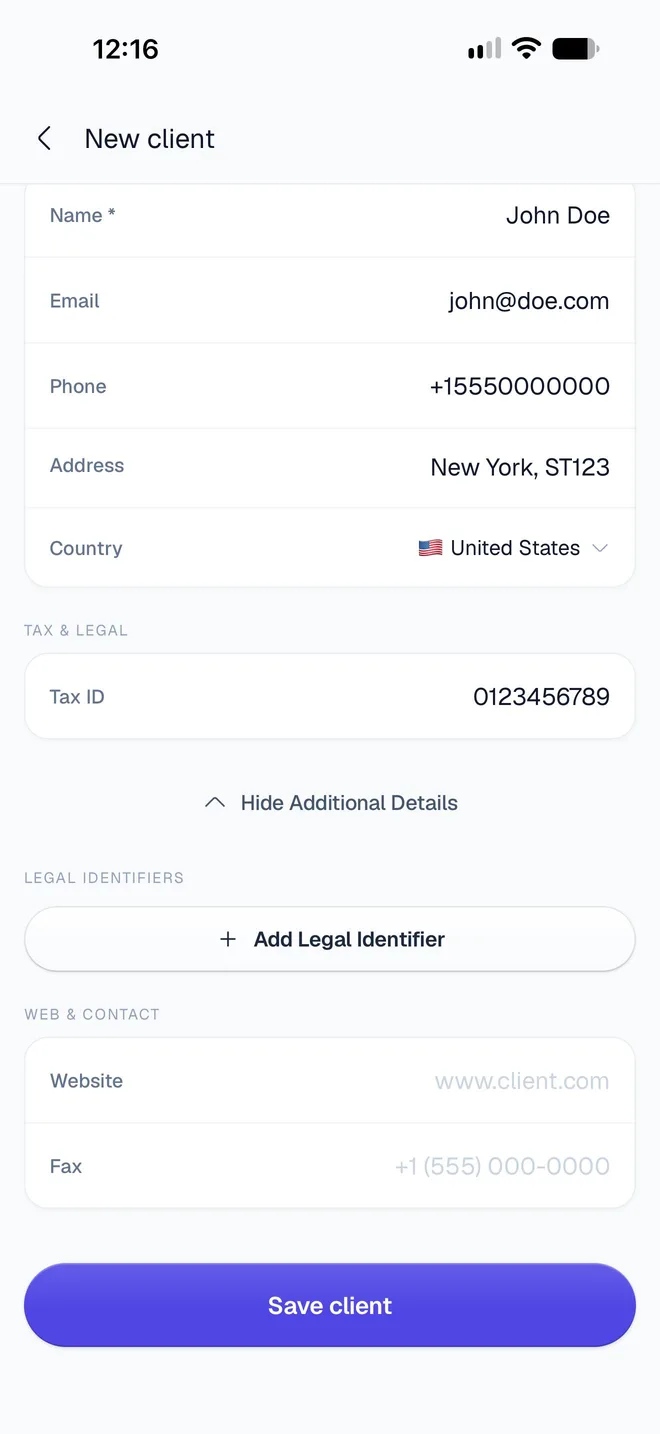
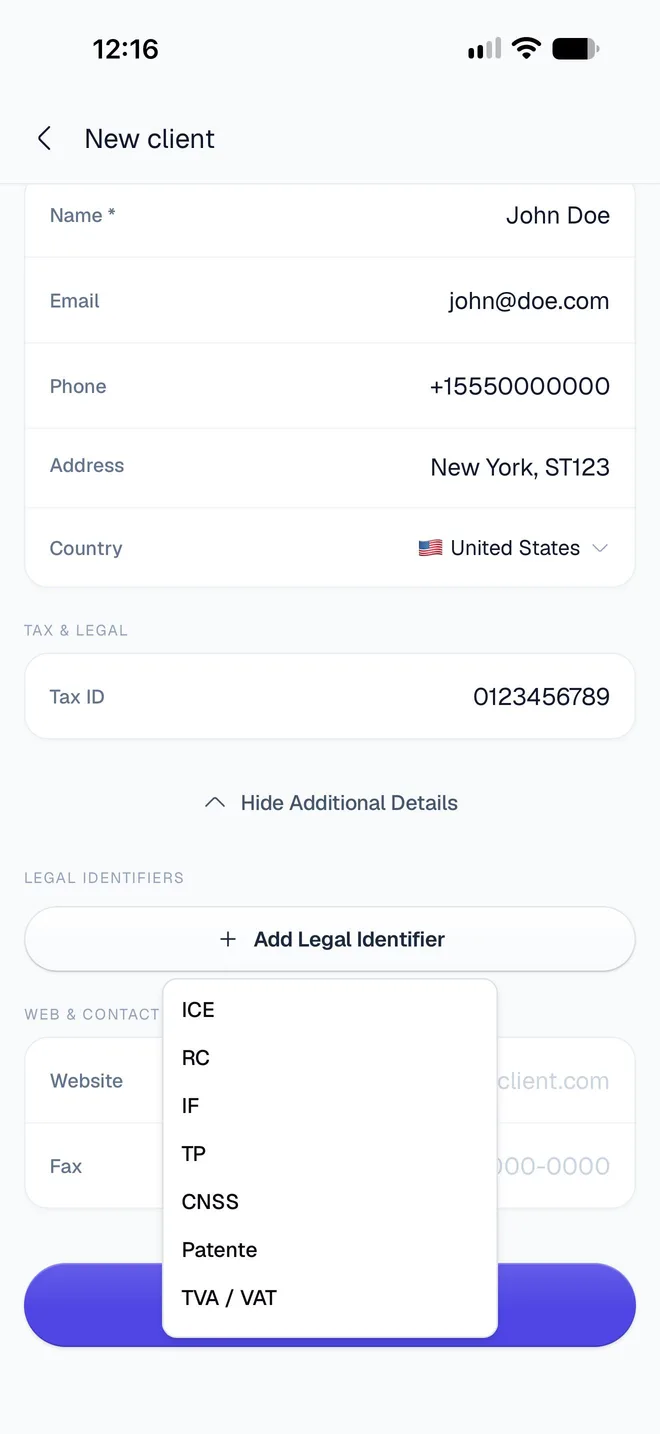
Tap Additional Details, then Add Legal Identifier, and pick a type from the list. Type the number in the row that appears. Repeat for each identifier you need; remove one with its ✕.
Tap the back arrow to save.
How do I add a client's tax IDs?
Open the client from Profile → Saved Clients, or from Your Client in the editor, and use the same fields: Tax ID under Tax & Legal, and Additional Details → Add Legal Identifier. See Save and manage clients.
Which identifiers can I add?
The same 20 types, for your business and for clients, whatever the country. Each type can be added once.
| Identifier | Usually used for |
|---|---|
| TVA / VAT | Value-added tax number (EU, UK, Morocco and elsewhere) |
| ICE | Identifiant Commun de l'Entreprise (Morocco) |
| RC, IF, TP, CNSS, Patente | Trade register, tax, business tax and social security numbers (Morocco) |
| SIREN, SIRET | Company and establishment numbers (France) |
| NIF | Tax identification number (Spain, Portugal, Algeria and others) |
| EORI | Customs registration (EU and UK) |
| UID | Business identification number (Switzerland, Austria) |
| EIN, SSN | Employer and social security numbers (United States) |
| ABN, GST | Business number and GST registration (Australia, India and others) |
| RFC | Tax ID (Mexico) |
| RUT | Tax ID (Chile, Colombia, Uruguay) |
| CNPJ, CPF | Company and personal tax numbers (Brazil) |
Add the ones your country's rules ask you to show. InvoiceStamp prints each number exactly as you type it.
How do they print on the PDF?
- ICE is printed as the main ID when you've added one. Otherwise the Tax ID is.
- Every other identifier prints with its code, in capitals: SIRET, EIN, ABN and so on. TVA / VAT prints as TVA.
- Where they go on the page depends on the design. Tap Preview in the editor to check them before you send.
Do I need to update old documents?
No. Your business details and your clients' details are read each time a PDF is made, so documents you've already saved show your current tax IDs the next time you share or download them.
Related guides
Was this page helpful?
Add your logo, brand color and signature
Put your logo on every InvoiceStamp document, set the brand color your design uses, and add a drawn, typed or uploaded signature that prints above the line.
Choose a design and color
Browse InvoiceStamp's invoice designs, search and favorite them, preview their sample pages and styles, pick an accent color, and use one for your documents.