

Set your default currency
Last updated · InvoiceStamp 1.1.0 for iPhone and Android
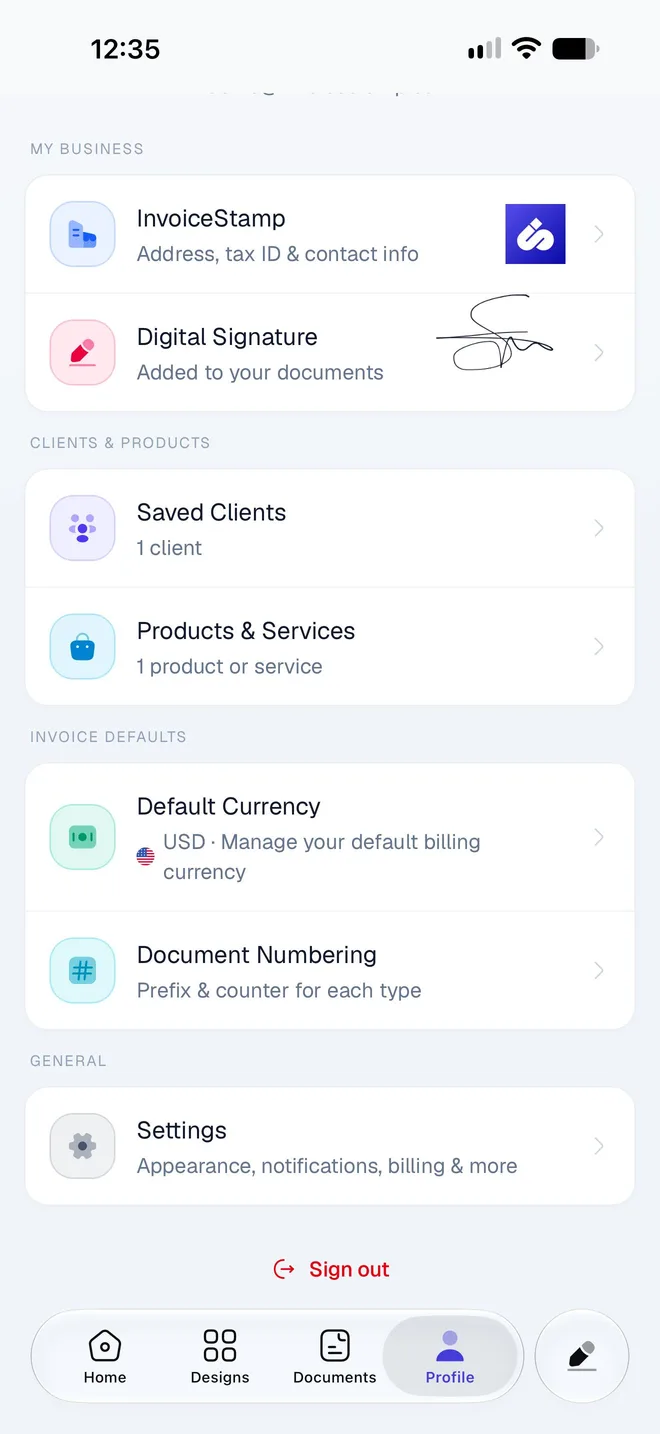
Go to Profile → Default Currency and pick a currency from the list of 152. The document open in the editor switches to it, and every new document you make after it starts in that currency. Documents you've already saved keep their own currency. The setting is kept on this phone.
How do I change my default currency?
Tap Profile. Under Invoice Defaults, tap Default Currency: it shows the current one, such as USD · Manage your default billing currency.
Search by code or name (EUR, dirham) in Search currencies, and tap the currency. It moves to the top of the list with a tick.
Tap the back arrow.
What does the default currency change?
| Changes? | |
|---|---|
| The document open in the editor | Yes, it switches to the new currency |
| New documents you make after it | Yes, they start in the new currency |
| Documents you've already saved | No, each keeps its own currency |
| The amounts on a document | No, InvoiceStamp doesn't convert amounts: 100 stays 100 in the new currency |
It's the same list as the currency pill in the editor, which changes the currency of one document. If you invoice most clients in one currency and a few in another, set your usual currency here and change it on those few documents: see Invoice a client in another currency.
Set it again after signing out
Your default currency is stored on this phone. When you sign out, it goes back to US dollars (USD), and a new phone starts on USD too. After you sign in, open Default Currency and pick your currency again before you make a document.
Where else does my currency show?
The currency you chose in the first-run setup is also saved to your business profile. The Home screen uses it for its main total: amounts in other currencies are listed under it, never added in. See Your totals on the Home screen.
Related guides
Was this page helpful?
Change how documents are numbered
Set the prefix, next number, suffix and number length for invoices, quotations and sale orders in InvoiceStamp, and see why numbers are never reused.
Account & settings
Manage your InvoiceStamp subscription, notifications, emails and app settings, get help from the team, fix common problems, or delete your account for good.