

Invoice a client in another currency
Last updated · InvoiceStamp 1.1.0 for iPhone and Android
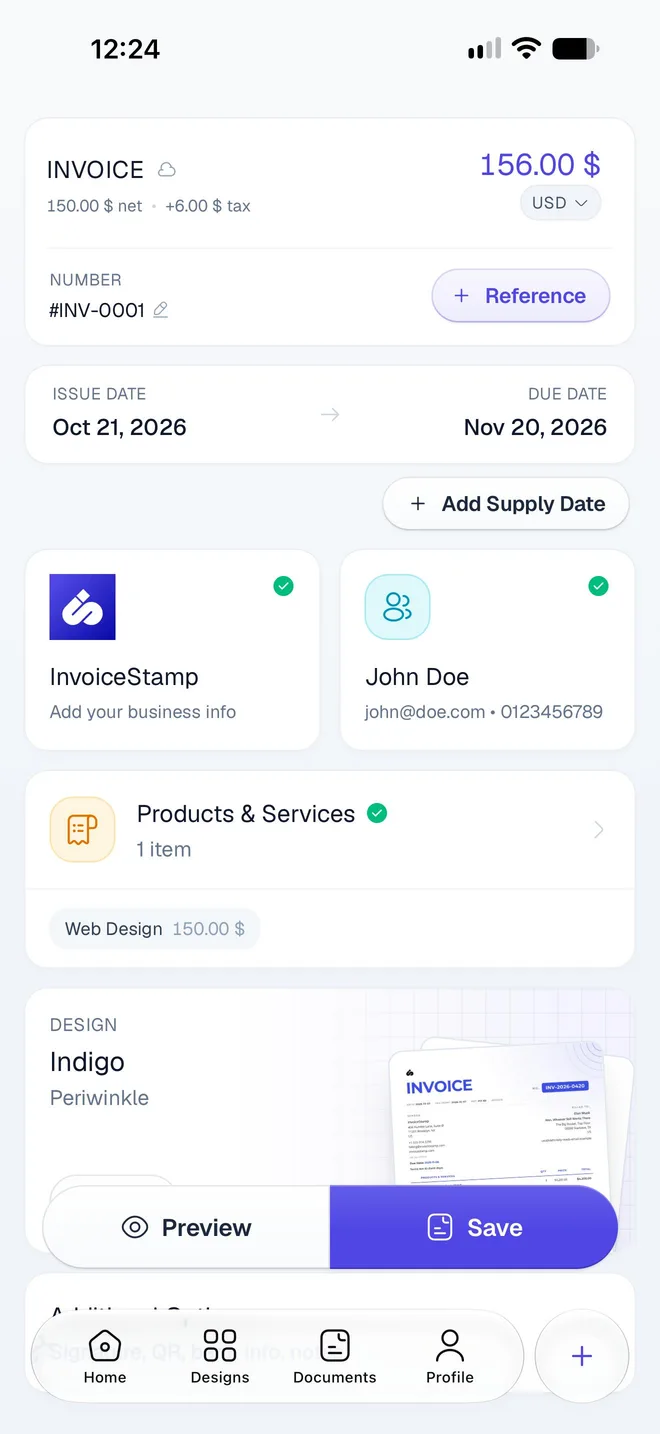
To bill a client in another currency, open the document in the editor and tap the currency pill under the total, such as USD. Choose the currency from the list of 152, and the whole document switches to it. Type your prices in that currency: InvoiceStamp doesn't convert amounts, it doesn't use .
How do I change a document's currency?
In the editor, tap the currency pill under the total (USD with an arrow, here).
Select Currency opens. Type in Search currencies to find one by its code or name, such as EUR or dirham. The currency you're using is at the top.
Tap the currency. The list closes and every amount on the document shows in it.
Each row shows the currency's flag, code, symbol and name. Every country's currency is in the list. The Bulgarian lev was retired when Bulgaria moved to the euro.
Does InvoiceStamp convert my prices?
No. Changing the currency keeps the numbers you typed and changes only their currency: a line at 150 dollars becomes a line at 150 euros. There's no exchange rate in the app, and none is printed on the PDF.
So when you bill in another currency:
- Choose the currency first.
- Type each price in that currency. Saved products bring their price as a plain number, so check it on each line after adding a product.
- If your client needs the rate you used, or the equivalent in your own currency, write it in Notes & Terms. See Add a signature, QR code, bank details and notes.
What changes on the PDF?
- Every amount shows with the new currency's symbol, always with two decimals.
- Designs that print the name the currency: Dollars, Euros or Dirhams, or the currency's code for the others.
- Your tax rates, discounts and stay as they are.
Which currency do new documents start in?
The currency of the last document you worked on, on this phone. If you mostly bill in one currency, set it as your default and switch only for the clients who need another one. See Set your default currency.
What about payments and my totals?
- Payments on an invoice are in the invoice's currency. If you change the currency after recording a payment, the payment isn't converted. See Record a full or partial payment.
- Home keeps one total per currency and never adds different currencies together. The main total is in your main currency, with the others listed under it. See Read your totals on the Home screen.
Related guides
Was this page helpful?
Add tax and discounts
Add tax on top of your prices or include it in them, and take a percentage or an amount off, on every line or one at a time. How the total is worked out.
Add a signature, QR code, bank details and notes
Use the editor's Additional Options to add your signature, a payment QR code, bank details and notes to a document, and switch each one off per document.